
反向代理与静态站Proxy & static sites
可视化管理主机、域名与上游,支持 URL 重定向、端口/路径与启停。Manage hosts, domains and upstreams visually, with redirects, ports/paths and on/off control.
用一个面板管理反向代理、静态网站、TLS 证书、动态 DNS 与 TCP/UDP 转发。完全自托管,数据始终归你。 Manage reverse proxies, static sites, TLS certificates, dynamic DNS and TCP/UDP forwarding from one panel. Fully self-hosted — your data stays yours.
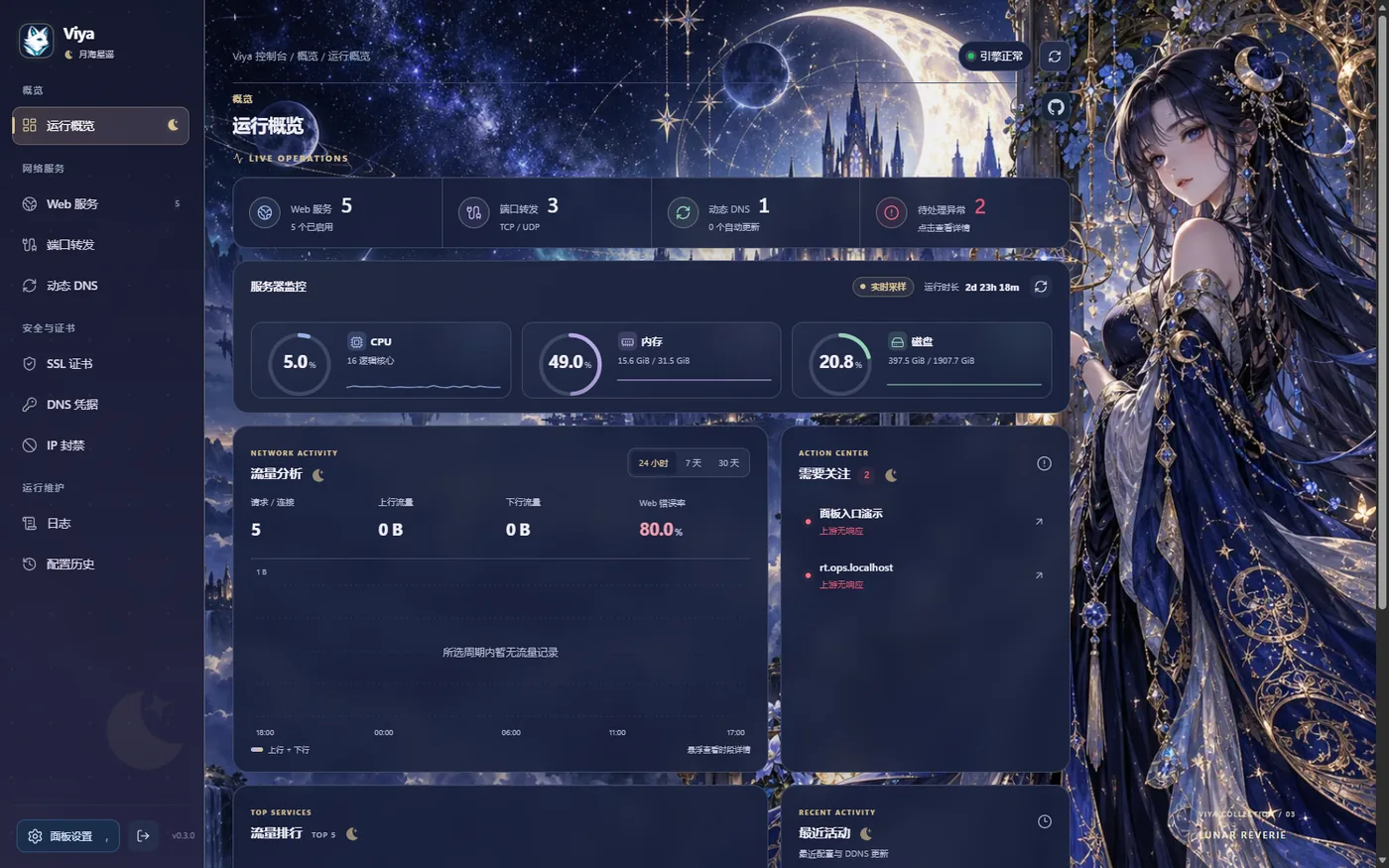
从代理到证书,从 DNS 到安全,运维所需尽在其中。From proxy to certificates, DNS to security — everything ops needs, in one place.
可视化管理主机、域名与上游,支持 URL 重定向、端口/路径与启停。Manage hosts, domains and upstreams visually, with redirects, ports/paths and on/off control.
在面板内上传、浏览、下载、重命名与删除网站文件。Upload, browse, download, rename and delete site files right in the panel.
Let's Encrypt 证书申请与自动续期,支持上传自定义证书。Let's Encrypt issuance and auto-renewal, plus custom certificate upload.
支持 A/AAAA/CNAME,跟随网卡或公网 IP,定时或手动更新。A/AAAA/CNAME support, follow NIC or public IP, scheduled or manual updates.
对接 Cloudflare、DNSPod、阿里云等,主密钥加密存储。Cloudflare, DNSPod, Alibaba Cloud and more, encrypted with a master key.
管理 TCP/UDP 双协议规则,并展示近 30 天流量趋势。TCP/UDP rules with 30-day traffic trends for requests, up/down and connections.
IP/CIDR 封禁、访问控制、登录限流与自动封禁。IP/CIDR bans, access control, login throttling and auto-ban.
CPU/内存/磁盘监控、访问与程序日志、流量趋势与备份恢复。CPU/memory/disk monitoring, access & app logs, traffic trends, backup & restore.
点击错误率按站点、状态码定位近期异常,配置历史可回溯。Click error rate to pinpoint issues by site and status; config history is auditable.
从极简浅色到原创二次元,每一套都精心打磨。点击右侧卡片,实时预览概览页。From minimal light to original anime palettes — every theme is hand-tuned. Click a card to preview the overview live.
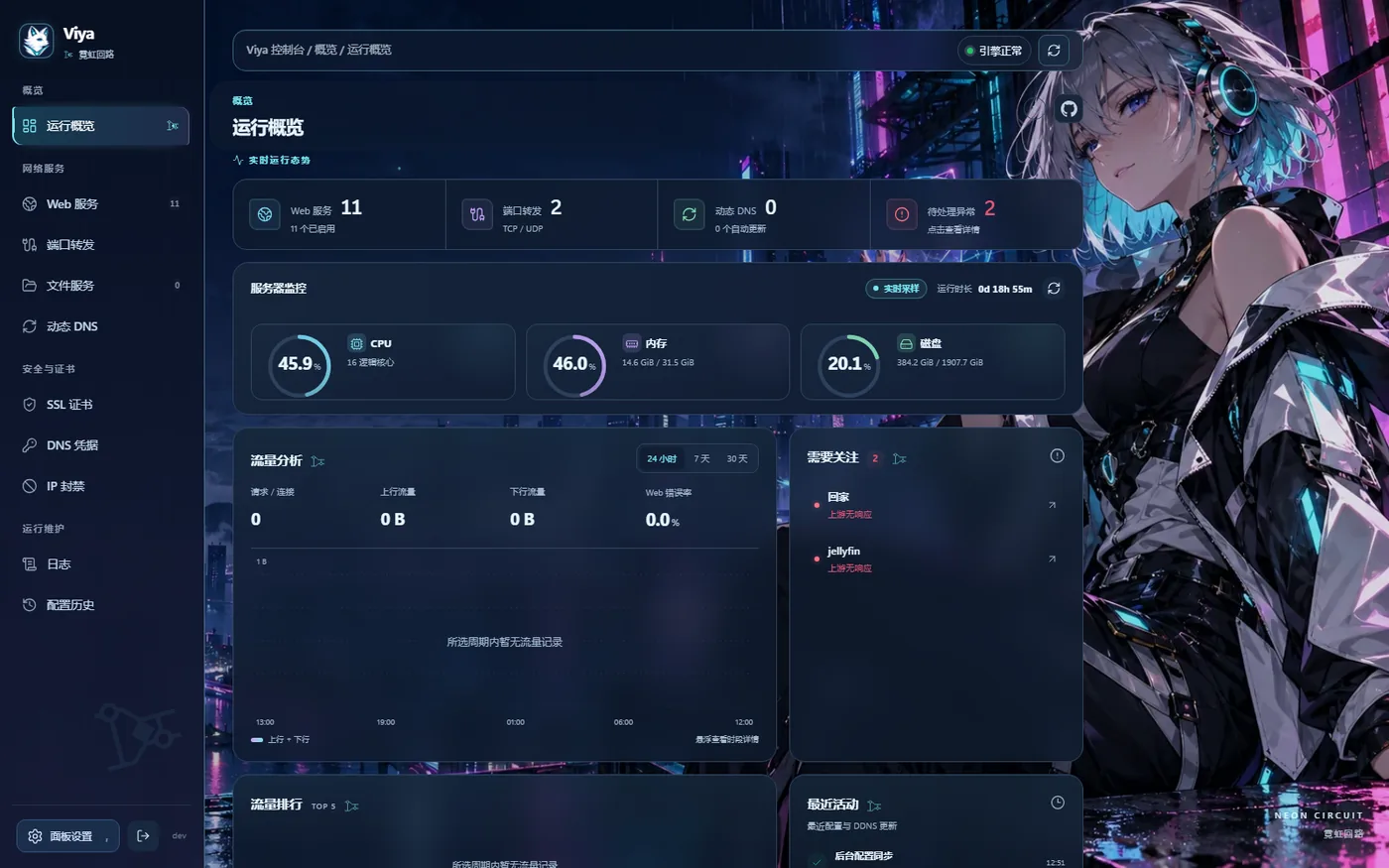
电光紫青 · 科技未来感
支持 systemd Linux、Docker 与 OpenWrt,一行命令即可开始。systemd Linux, Docker and OpenWrt — start with a single command.
适用于使用 systemd 的 Linux(amd64 / arm64 / armv7),以 root 运行:For systemd Linux (amd64 / arm64 / armv7), run as root:
curl -fsSL https://raw.githubusercontent.com/ringer520/viya-proxy/main/install.sh | sh安装后访问 http://服务器IP:8181 创建管理员。指定端口:在管道右侧加 VIYA_INSTALL_LISTEN=0.0.0.0:8182。After install, open http://server-ip:8181 to create an admin. Custom port: append VIYA_INSTALL_LISTEN=0.0.0.0:8182 after the pipe.
数据统一保存在容器内 /var/lib/viya,仅映射一个宿主机目录:All data lives in /var/lib/viya; map a single host directory:
services:
  viya:
    image: ringer520/viya-proxy:latest
    container_name: viya
    restart: unless-stopped
    ports:
      - "8181:8181"      # 面板
      - "80:80"          # HTTP / HTTP-01
      - "443:443"        # HTTPS
      - "443:443/udp"    # HTTP/3
    volumes:
      - /opt/viya/data:/var/lib/viya
运行 docker compose up -d;更新用 docker compose pull && docker compose up -d。Run docker compose up -d; update with docker compose pull && docker compose up -d.
支持使用 procd 的 OpenWrt(amd64 / arm64 / armv7,不支持 MIPS),SSH 以 root 执行:For procd OpenWrt (amd64 / arm64 / armv7, no MIPS), SSH as root:
wget -qO- https://raw.githubusercontent.com/ringer520/viya-proxy/main/install.sh | sh数据位于 /opt/viya/data,主密钥在 /etc/viya/secrets/master.key;/opt 需为持久化目录。Data at /opt/viya/data, master key at /etc/viya/secrets/master.key; /opt must be persistent.
开源、自托管、几分钟上线。你的服务器,你的规则。Open source, self-hosted, live in minutes. Your server, your rules.
前往 GitHub 开始Get started on GitHub